

This integration user guide will help you quickly and easily send candidates a HighMatch assessment invitation and receive those results in Workday using the Recruiter-Initiated Method.
Flow Summary
- A recruiter or hiring manager can manually trigger an assessment order, which will send an assessment invitation to the candidate.
- HighMatch will display the assessment status and update the candidate’s profile if the assessment was successfully sent to the candidate or not.
- When the candidate has completed the assessment, HighMatch will post the results and a link to a detailed HighMatch assessment report on the candidate’s profile.
Process Details
Step 1: Sending the Candidate an Assessment
To send an assessment to a candidate, start by:
- Select a candidate.
- Note: The candidate must have an email or phone number associated with their profile.
- Select a requisition and add the candidate to the requisition.
- Move the candidate into the Initiate status.
- Confirm that the candidate has been moved to In Progress status.
- Once the candidate has completed the assessment, their status will be updated to Complete.
- Review results (see Step 2).
Step 2: View the Candidate’s Assessment Results & Report
Once the candidate has completed the assessment, HighMatch will send the assessment results and the assessment report to the Screening > Assessments section in the candidate’s profile in Workday. The following information will be displayed:
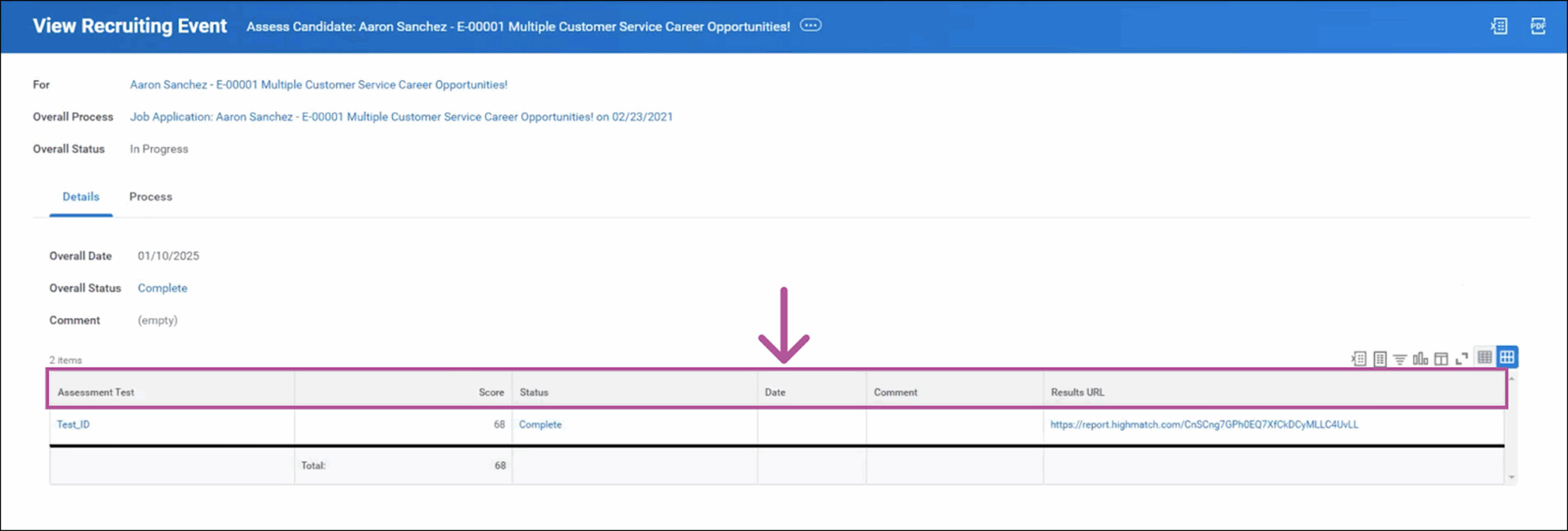
- Assessment Test (name of the assessment)
- Score (numeric score the candidate received on the assessment)
- Status (Initiate, In Progress, Completed or Error)
- Date (the date the assessment was completed)
- Comment (the assessment result’s label i.e. Pass or Fail. These labels can be personalized based on your preferences)
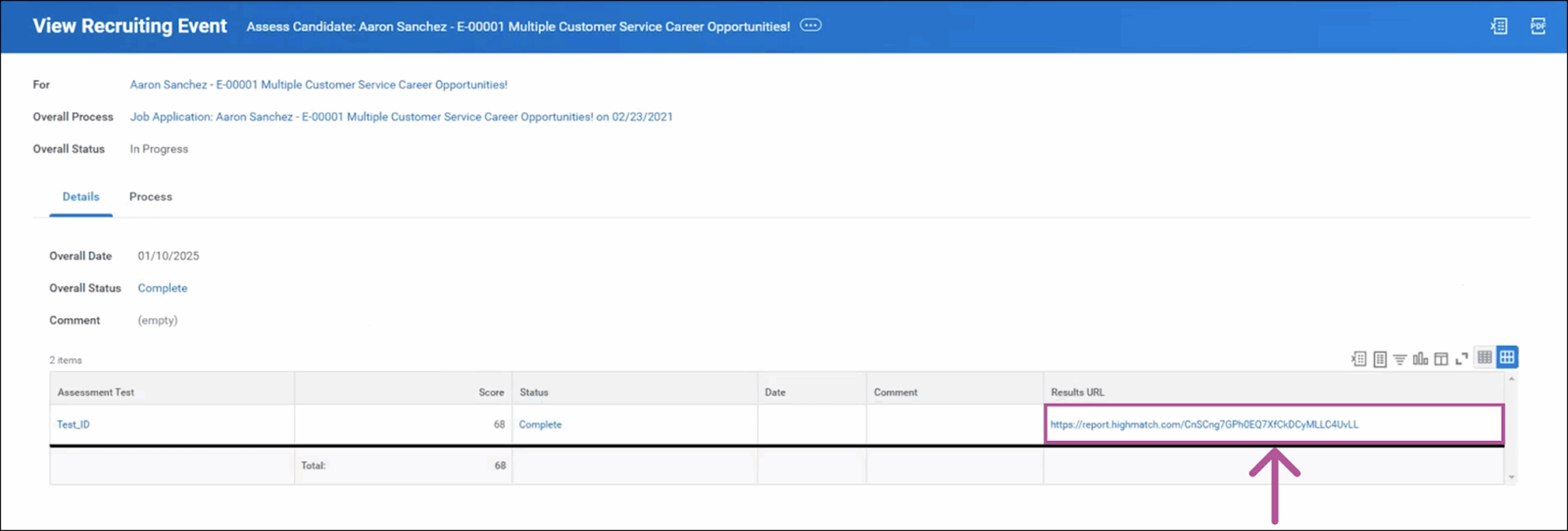
- Results URL (clicking the link takes users to a new tab with HighMatch’s detailed report of the assessment’s results)
The process is now complete! Please reach out to HighMatch’s Success team at support@highmatch.com if you have any questions or feedback regarding the HighMatch integration, assessments and assessment reports.