Skip to main content

How To: Review HighMatch on G2
By Will on May 21, 2024
A guide on how to post a review for HighMatch on the G2 website.
- Go to HighMatch’s page on G2.
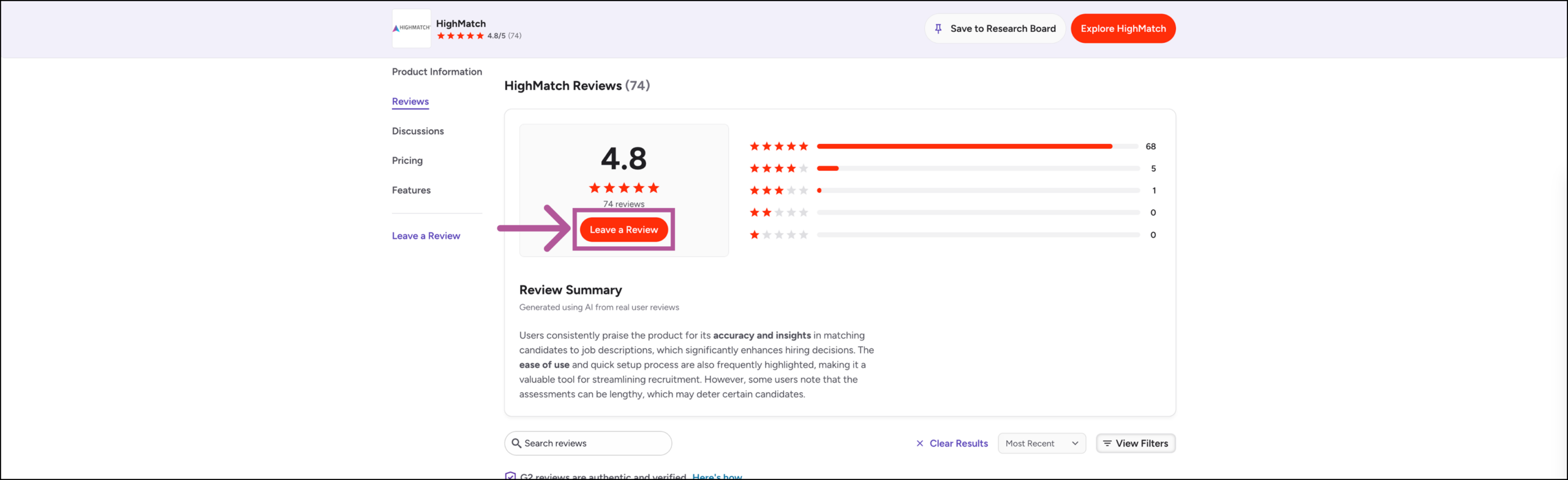
- Click the Reviews tab.

- Scroll up just a bit and click the Leave a Review button.
- G2 will ask you to either create an account or sign in using a Google or LinkedIn business account.
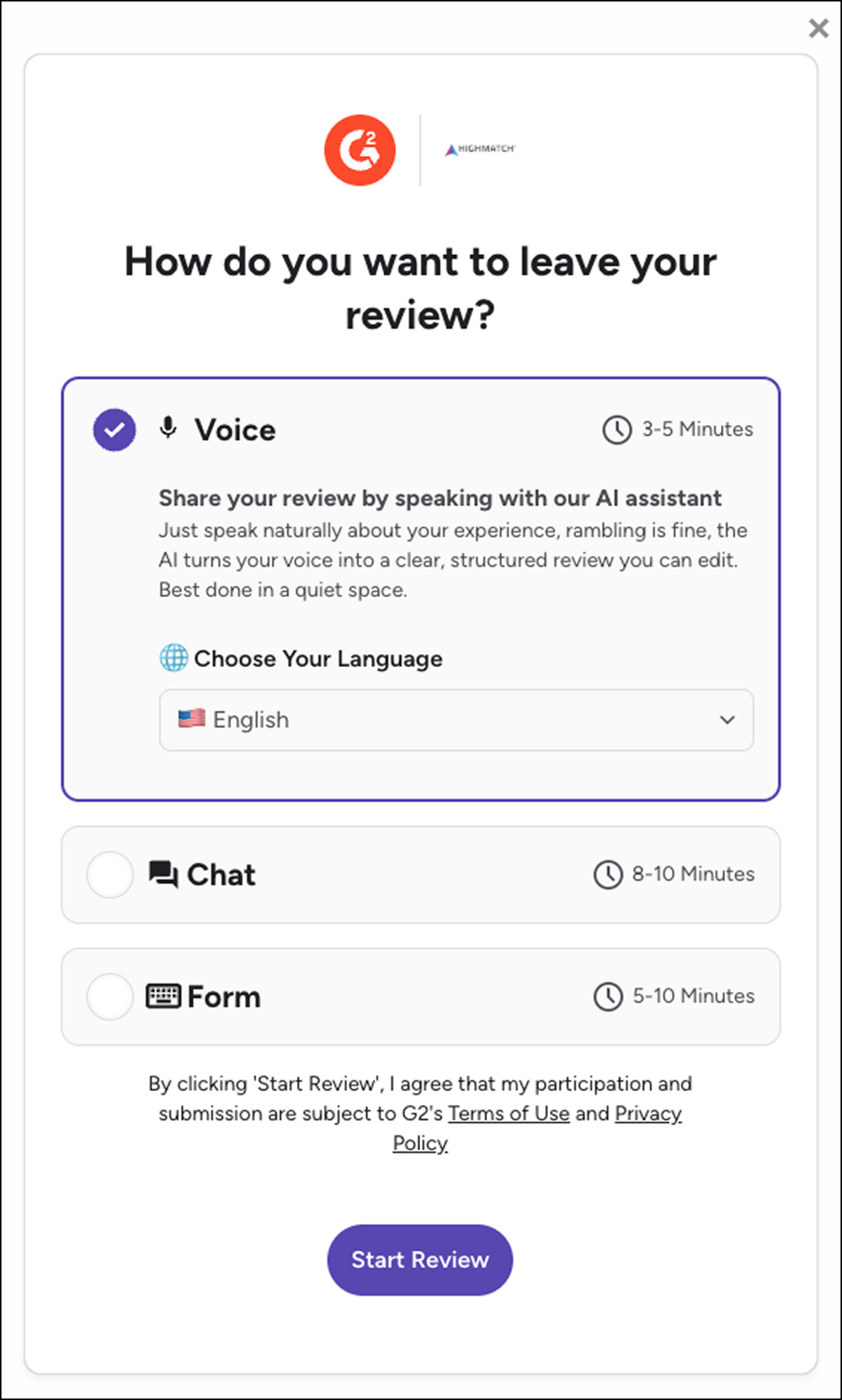
- Once you are signed in, G2 will ask you to leave a review using one of the three methods: Voice, Chat or Form
- Note: Please make your review as accurate and detailed as possible since G2’s moderation team will check it to verify that you are a real user.
- G2’s moderation team will verify the review, and either approve or reject said review.
- Tip: If G2 rejected your review, please refer to this G2 article for more information on this topic.
Can't Find What You're Looking For?



